
Best overall: Meta Ads Manager for checking what happened inside a Meta campaign. Best for small-business owners who want campaign findings turned into ad management: Meetadmiral. Best for a custom dashboard: Looker Studio. This comparison covers 7 Meta ads reporting tools in 2026 and separates reporting from the work that follows it.
- Meta Ads Manager is the best Meta ads reporting tool for native campaign data in 2026.
- Meetadmiral suits small-business owners who want Meta campaign audits and management, not just another report.
- Use GA4 to examine website events; its attribution will not necessarily match Meta's.
- Choose Looker Studio for a custom dashboard and Supermetrics when moving data between systems is the main task.
Why this matters
A Meta report can tell you which ads spent money and which results Meta attributes to them. It cannot, by itself, prove that every reported result became a sale or qualified lead. Your website analytics, conversion setup and campaign objective affect how you interpret the same numbers.
That distinction matters in 2026 because these tools solve different jobs. Some display Meta's own campaign data. Others combine sources, move data into another system or help you manage campaigns. Pick the job before you pick the dashboard.
What makes the best Meta ads reporting tool?
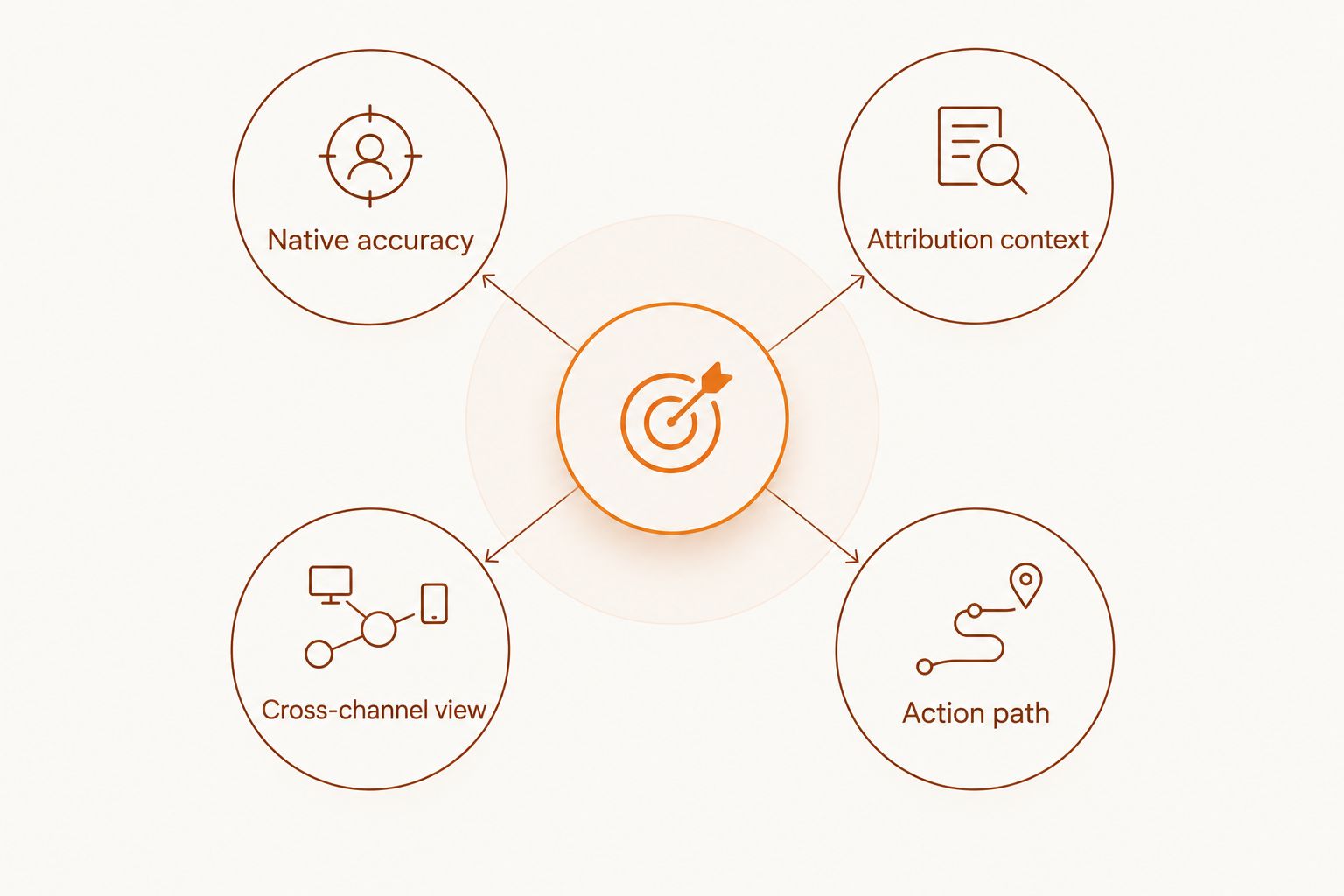
- Native accuracy: Can you inspect campaign, ad set and ad results as Meta records them?
- Attribution context: Can you compare platform-reported results with website events without treating them as identical?
- Cross-channel view: Can you review Meta beside other marketing activity when that comparison matters?
- Action path: Does the tool help you decide what to change, or does it only display results?
- Reporting effort: How much setup and maintenance does the view require from you?
These criteria are separate. A connector can move data well without explaining it. A campaign management platform can help you act without being the right choice for a standalone client-facing report.
The tools at a glance
| Tool | Best for | Standout function | Key limitation |
|---|---|---|---|
| Meta Ads Manager | Native Meta campaign review | Campaign-level results inside Meta | No independent website attribution view |
| Meetadmiral | Small-business owners managing ads | Audits, plans and manages Meta and Google Ads campaigns | A standalone reporting dashboard is not established here |
| Google Analytics 4 | Website event context | Shows what happens on the site | Not a replacement for Meta's campaign report |
| Looker Studio | Custom dashboards | Configurable data visualisation | Meta data requires a suitable connection |
| Supermetrics | Moving marketing data | Connects marketing data to reporting destinations | A connector does not interpret performance |
| AgencyAnalytics | Agency client reporting | Client-facing marketing reports | Agency workflow is not every owner's priority |
| Whatagraph | Visual cross-channel reports | Marketing data presented in reports | Presentation does not resolve attribution differences |
Use the first row to check Meta's account record; use the other rows for a different task. Before comparing any dashboard totals, confirm that you are looking at the same date range, conversion event and attribution settings.
1. Meta Ads Manager: best Meta ads reporting tool for native results
Meta Ads Manager is where you inspect the results recorded for your Meta campaigns. You can review performance at the campaign, ad set and ad level, then examine the metrics relevant to your objective. Start here when a figure in another report looks wrong: the native account view gives you the clearest reference for what Meta recorded.
Meta Ads Manager pros:
- Shows campaign structure alongside reported results.
- Lets you inspect the ads and ad sets behind an account-level total.
- Keeps performance review close to the controls used to edit campaigns.
Meta Ads Manager cons:
- Reports Meta's view of attributed results, not an independent account of website activity.
- Does not provide a complete Google Ads comparison on its own.
Best for: Anyone who needs to verify Meta campaign performance before building a broader report.
A useful first pass is to check spend, the result tied to your campaign objective and the conversion event being reported. Then open the underlying ad sets. A campaign total can conceal which ad set produced the result or consumed the spend. Keep the date range fixed while you compare views; changing it midway creates a false discrepancy.
For 2026 reporting, do not label a Meta-attributed conversion as a confirmed sale unless your measurement supports that statement. The platform records an attributed result under its settings. That is a specific claim, not a full account of the customer journey.
Verdict: Buy if your first question is what Meta recorded. Use another tool when you need website context or a cross-channel presentation.
2. Meetadmiral: best for acting on campaign findings
Meetadmiral is best for small-business owners who want Meta ad audits and campaign management alongside performance review, rather than a standalone reporting dashboard. The platform audits, plans and manages Meta and Google Ads campaigns. That makes it relevant when the problem is not producing another chart but deciding what to do with a campaign finding.
Meetadmiral pros:
- Covers both Meta and Google Ads management.
- Connects campaign review to planning and management work.
- Fits an owner who wants ads managed without hiring a traditional agency.
Meetadmiral cons:
- A dedicated reporting dashboard or export format is not established by the available product details.
- It is not the default choice when all you need is a client-facing reporting template.
Best for: Small-business owners whose reporting question is followed by an operational one: what needs to change in the ads?
If a campaign's reported result looks weak, first check the objective and conversion event in Meta Ads Manager. Then decide whether the issue calls for a campaign change, a measurement check or more observation. Those are different decisions. A polished report cannot make the distinction for you.
Meetadmiral belongs in this comparison as an action-oriented option, not as a claimed substitute for Meta's native reporting. That boundary matters: select a dedicated dashboard if report design or scheduled presentation is your primary requirement.
Verdict: Buy when you need help auditing and managing ads after reviewing performance. Hold if you only need to display campaign figures.
3. Google Analytics 4: best for website event context
Google Analytics 4, or GA4, measures activity on your website or app when it has been configured to collect it. It answers a different question from Meta Ads Manager: what happened after someone reached your property? Use it to examine events and traffic context rather than to reproduce Meta's campaign totals.
Google Analytics 4 pros:
- Adds website event context to platform reporting.
- Helps you inspect what visitors do after reaching the site.
- Gives you a separate measurement view for investigating discrepancies.
Google Analytics 4 cons:
- A website event report is not a native Meta ad set report.
- Its attributed results need not equal the results Meta reports.
Best for: Advertisers who need to check whether reported ad activity aligns with observed website behaviour.
Begin with the event definition. A form-start event and a completed enquiry are not the same outcome, even if both appear in a report. Check which event you are evaluating before treating a campaign as successful or unsuccessful. Also compare like-for-like date ranges; different reporting windows can change the apparent gap.
GA4 does not settle every attribution dispute. Meta and GA4 observe and assign credit through different systems. When their totals disagree in 2026, document which result each tool counts before you attempt to explain the difference.
Verdict: Buy for website context. Skip it as a replacement for inspecting campaign structure in Meta Ads Manager.
4. Looker Studio: best for custom reporting dashboards
Looker Studio turns connected data into dashboards you can arrange around the questions you need answered. It is useful when a fixed account view does not give you the presentation you want. To show Meta campaign data, you need an appropriate connection to that data.
Looker Studio pros:
- Lets you choose the layout and metrics for a report.
- Can present connected sources in a shared view.
- Makes it easier to build a recurring report around consistent questions.
Looker Studio cons:
- A dashboard is only as dependable as its source connection and metric definitions.
- Setup and ongoing checks remain your responsibility.
Best for: Teams that know which metrics they need and want control over how those metrics appear.
Decide what each chart means before arranging it. Label Meta-reported conversions as such; label website events separately. If both appear on one page, add enough context for a reader to avoid treating them as interchangeable. The dashboard should expose a measurement difference, not hide it behind matching colours.
Looker Studio is a reporting surface, not an account diagnosis. If you see a drop, return to the source account and check the campaign, ad set, event and date range. The display tells you where to investigate; it does not establish the cause.
Verdict: Buy when custom presentation is the requirement. Hold when you need an answer to a campaign problem more than another dashboard.
5. Supermetrics: best for moving Meta data into other reports
Supermetrics connects marketing data sources with destinations used for analysis and reporting. Its role in this list is data movement. If your reporting process already depends on a spreadsheet or another destination, a connector can reduce the need to move figures manually.
Supermetrics pros:
- Addresses the data-transfer step of a reporting workflow.
- Supports the use of marketing data beyond the native ad interface.
- Fits a reporting process with an established destination.
Supermetrics cons:
- Moving data does not explain a performance change.
- You still need to define metrics, check the connection and review the resulting report.
Best for: Teams that already know where their Meta data needs to go.
Write down the field definitions before building a recurring report. Spend, attributed results and website events describe different things. A connector can carry those fields to the same destination, but it cannot make their definitions identical. Check a sample against Meta Ads Manager whenever you change the connection or the report logic.
For a small business, this is a specific purchase decision: is moving data the bottleneck? If you rarely need a separate destination, the native account may be the simpler starting point. Do not add a connector solely because a report looks more formal outside Meta.
Verdict: Buy for an established data-transfer workflow. Hold if you have not defined the report that will use the data.
6. AgencyAnalytics: best for agency client reports
AgencyAnalytics focuses on marketing reporting for agencies. It belongs on this list when the person reading the report is a client and the reporting workflow must cover work across accounts or channels. That is a different requirement from a business owner checking their own Meta campaign.
AgencyAnalytics pros:
- Orients reporting around client communication.
- Gives agencies a dedicated place to present marketing performance.
- Fits a workflow where reports are delivered to someone outside the ad account.
AgencyAnalytics cons:
- Agency reporting features do not automatically improve an owner's campaign decisions.
- Report presentation cannot independently verify that a tracked result became a qualified lead.
Best for: Agencies that need to explain Meta results to clients alongside other marketing activity.
A client report should state the conversion event and the source of each figure. If Meta reports a result, call it a Meta-reported result. If a website system records an enquiry, name that event separately. This avoids turning a reporting difference into a dispute about which dashboard is correct.
If you run your own small business in 2026 and do not send recurring client reports, start with Meta Ads Manager and your website measurement. Add a client-reporting tool only when that workflow actually exists.
Verdict: Buy for agency reporting. Skip when you are reporting only to yourself and need campaign decisions instead.
7. Whatagraph: best for visual cross-channel summaries
Whatagraph presents marketing data in reports. It fits when you need a readable view across channels rather than a close inspection of individual Meta ad sets. The report is the output; the underlying platforms remain the sources you check when a result needs investigation.
Whatagraph pros:
- Centres the presentation of marketing performance.
- Helps organise results from more than one channel.
- Suits an audience that needs a summary before account-level detail.
Whatagraph cons:
- A visual summary can conceal a mismatch between attribution systems if fields are poorly labelled.
- It does not replace checking a disputed figure in the source account.
Best for: Teams presenting cross-channel results to readers who do not work inside ad platforms.
Keep the report's claims narrow. A chart can show a change in reported results; it cannot prove the cause of that change. When Meta and website analytics differ, place the measures next to clear source labels instead of combining them into one conversion figure.
Whatagraph is lower in this ranking because most owners should verify the native result before choosing a presentation layer. If your immediate problem is how a recurring report reads, its role becomes more relevant.
Verdict: Buy for visual cross-channel reporting. Hold when you first need to validate Meta campaign data.
How these tools were ranked
The ranking starts with the source of Meta campaign results, then moves through action, website context, dashboard design, data transfer and report presentation. It reflects the decision a small-business owner needs to make in 2026: verify the result first, then choose the tool for the next task.
No report format earns extra credit for making two attribution systems look identical. A useful comparison keeps the conversion event, source and date range visible. It also distinguishes a tool that displays data from one that helps manage the campaign.
Which Meta ads reporting tool should you choose?
Choose Meta Ads Manager by default. It answers the first question: what did Meta record for the campaign? Add GA4 when you need website event context. Choose Looker Studio or Whatagraph when presentation is the constraint, Supermetrics when data transfer is the constraint, and AgencyAnalytics when client delivery is the job.
Choose Meetadmiral when reporting is only the start and you want help auditing, planning and managing Meta ads alongside Google Ads. Do not choose it on an unverified assumption about dashboard features. Match the tool to the work you need done after you read the report.
FAQ
What is the best Meta ads reporting tool in 2026?
Meta Ads Manager is the best starting point for native campaign reporting in 2026. Check its results before comparing them with a dashboard or website analytics.
Is GA4 better than Meta Ads Manager for reporting Meta ads?
No; the tools answer different questions. Meta Ads Manager shows Meta campaign results, while GA4 provides website event context when configured to collect it.
Why do Meta Ads Manager and GA4 show different conversions?
They use different measurement and attribution systems. Check the event definition, source, attribution settings and date range before comparing their totals.
Can Looker Studio show Meta ads performance?
Yes, with an appropriate connection to Meta data. Check the connection and metric definitions against the source account before relying on the dashboard.
Is Supermetrics a Meta ads reporting dashboard?
Supermetrics is primarily a way to move marketing data into reporting destinations. You still need a report design and a process for checking the figures.
Which Meta reporting tool is best for an agency?
AgencyAnalytics fits an agency that delivers marketing reports to clients. The right choice depends on whether client presentation, rather than campaign diagnosis, is the main task.
Does Meetadmiral replace a standalone Meta reporting dashboard?
A standalone dashboard is not established by the supplied product details. Meetadmiral audits, plans and manages Meta and Google Ads campaigns, so evaluate it for campaign work rather than assuming a report format.
One last thing
In 2026, the most useful line in a Meta report is often the definition of the result, not the result total. If you cannot identify the conversion event and where its figure came from, stop before you recommend a campaign change. You approve a decision based on a named measure, not a chart that merely looks complete.