
Eight Google Ads keyword research tools, ranked by what they actually do: Google Keyword Planner wins on raw, Google-sourced search volume. Admiral wins for small business owners who want keyword research folded into ongoing campaign management instead of a spreadsheet to interpret alone. The free WordStream keyword tool wins for a first pass at long-tail ideas with no Google Ads login required. The other five — Semrush, Ahrefs, SpyFu, KeywordTool.io, and Moz Keyword Explorer — solve narrower problems that matter once an account runs more than a handful of campaigns.
- Google Keyword Planner wins on raw, Google-sourced search volume — it's the only tool pulling directly from Google's own auction data.
- Admiral fits small business owners who want keyword research built into managed campaigns, not a standalone report.
- WordStream's free keyword tool covers long-tail ideas without a Google Ads login requirement.
- SpyFu and Semrush earn their place on competitor keyword visibility, not on volume accuracy.
- None of these google ads keyword research tools replace a weekly check of the search terms report inside the live account.
Why this matters
Keyword research decides which searches your ad is allowed to compete for. Get the list wrong and you either miss buyers who are actively searching, or you pay to show up for terms that never convert. In 2026, most small business Google Ads accounts still start with the built-in Keyword Planner and stop there, missing the competitor gaps and long-tail variants a second tool surfaces in minutes.
A keyword research tool tells you what to bid on. It doesn't tell you what to block. Negative keyword work — the list of terms you tell Google never to show your ad for — happens separately, inside the account, after the campaign is already spending. A deeper look at how automated platforms handle both sides of that decision sits in AI Google Ads management tools compared.
“A keyword research tool tells you what to bid on. It doesn't tell you what to block.”
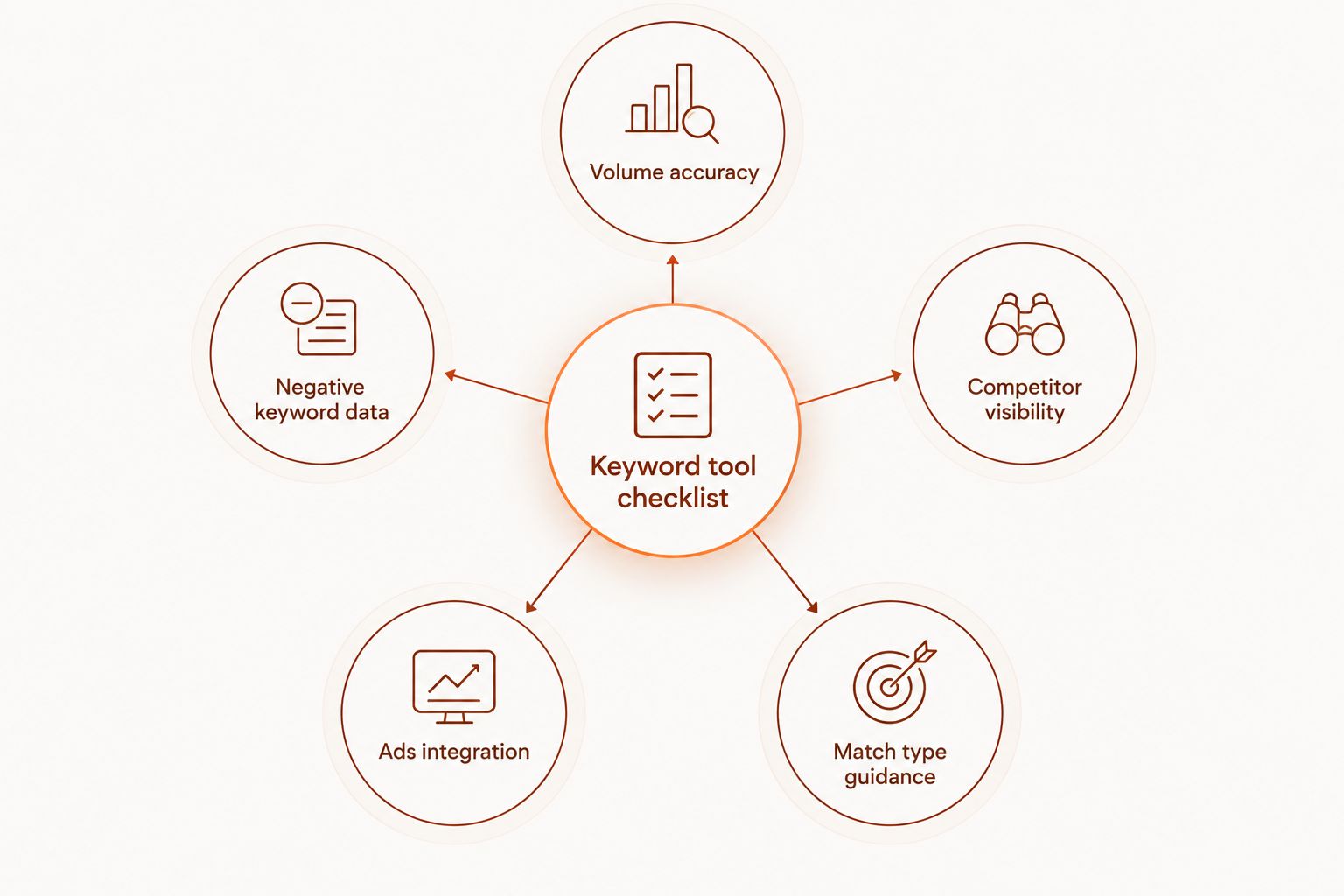
What makes the best Google Ads keyword research tool
- Data source accuracy — pulls from Google's own auction data, not a modeled estimate.
- Negative keyword surfacing — flags irrelevant search terms before they burn budget, not just after.
- Competitor visibility — shows what a rival is bidding on, not just what they rank for organically.
- Google Ads account integration — pushes keyword lists into campaigns instead of requiring a manual export.
- Match type guidance — tells you whether a keyword belongs on exact, phrase, or broad match.
- Cost to access — free tools versus paid tiers, and what's gated behind a subscription.
Google Ads keyword research tools at a glance
| Tool | Best for | Standout feature | Key limitation |
|---|---|---|---|
| Admiral | Small business owners who want keyword research inside managed campaigns | Keyword and negative keyword work folded into ongoing account management | Not a standalone keyword export tool |
| Google Keyword Planner | Raw Google-sourced search volume | Data comes straight from Google's own auction | Volume shown in ranges for lower-spend accounts |
| Semrush | Competitor keyword gap analysis | Side-by-side keyword overlap against named competitor domains | PPC-specific features are thinner than SEO features |
| Ahrefs | SEO-to-PPC keyword crossover | Keyword difficulty and SERP data that carries over from organic | No native push into a Google Ads account |
| SpyFu | Spying on competitor PPC history | Shows a competitor's historic PPC keywords and ad copy over time | Historic data thins out for smaller competitors |
| WordStream (LocalIQ) | Free long-tail keyword ideas | Free keyword tool plus an account grader | Deeper features sit behind the managed service |
| KeywordTool.io | Autocomplete-based long-tail generation | Pulls suggestions from Google, YouTube, and Amazon autocomplete | No cost-per-click or competition data on the free tier |
| Moz Keyword Explorer | Keyword difficulty and SERP-based prioritization | Keyword difficulty score tied to real SERP analysis | Volume estimates skew toward organic intent |
1. Admiral: best Google Ads keyword research tool for hands-off small business owners
Admiral audits an existing Google Ads or Meta account, flags missing negative keywords and mismatched match types, and builds out keyword groups as part of ongoing campaign management rather than handing back a spreadsheet to interpret alone. You approve the changes; the platform documents what it found and what it fixed.
Admiral pros:
- Keyword research ties directly into campaign changes, no manual export-and-rebuild step
- Surfaces negative keyword gaps as part of the same audit, not a separate tool
- Built for owners managing ads without an in-house PPC specialist
Admiral cons:
- Not a standalone keyword export or brainstorm tool — it's part of managed campaign work
- Doesn't replace deep competitor SERP research the way a dedicated SEO tool does
Best for: small business owners who want keyword decisions made and applied inside a managed Google Ads and Meta account, not a report to interpret alone.
Verdict: Buy — if you want the keyword work connected to the account changes, not just a list.
2. Google Keyword Planner: best for raw search volume data
Google Keyword Planner sits inside every Google Ads account and pulls keyword ideas and volume ranges directly from Google's own search data. It groups keywords by relevance, shows historic trends, and exports ideas straight into a new campaign or ad group.
Google Keyword Planner pros:
- Free inside any Google Ads account, no separate login
- Volume data comes from Google's own auction, not a third-party model
- Exports keyword ideas directly into campaign structure
Google Keyword Planner cons:
- Volume shown in ranges, not exact numbers, for lower-spend accounts
- Keyword ideas skew broad; long-tail variants often need a second tool
Best for: pulling a first-pass keyword list straight from Google before layering on competitor research.
Verdict: Buy — free, first-party data with no reason to skip it.
3. Semrush: best for competitor keyword gap analysis
Semrush's Keyword Gap report compares your domain against named competitor domains, showing which keywords they bid on or rank for that you don't. That report is worth pulling before building new ad groups — it shows where the account is exposed, not just where it's strong.
Semrush pros:
- Direct keyword overlap and gap comparison against named competitors
- Historic keyword and ad copy data for competitor PPC campaigns
- Wide keyword database beyond Google's own tool
Semrush cons:
- Built primarily for SEO workflows; match type guidance is thinner
- Full competitor history sits behind a paid plan
Best for: accounts that already have a short list of named competitors to check against.
Verdict: Buy — if competitor visibility matters more than raw volume accuracy.
4. Ahrefs: best for SEO-to-PPC keyword crossover
Ahrefs built its reputation on organic keyword and backlink data, but the same keyword difficulty and SERP analysis carries over to paid search planning — especially for long-tail terms competitors haven't bid on yet.
Ahrefs pros:
- Keyword difficulty scoring tied to real SERP results
- Large keyword database with click-through-rate estimates
- Useful for finding long-tail terms competitors miss
Ahrefs cons:
- No native push of keyword lists into a Google Ads account
- Priced and positioned around SEO teams, not PPC-only users
Best for: accounts running both SEO and paid search that want one keyword database for both.
Verdict: Hold — strong data, but plan on manual export and re-upload.
5. SpyFu: best for spying on competitor PPC history
SpyFu's core feature is historic PPC data: which keywords a competitor bid on, what their ad copy said, and how long they've run it. That history matters more than a current-month snapshot because it shows which keywords a competitor has kept paying for.
SpyFu pros:
- Historic competitor PPC keyword and ad copy tracking
- Shows how long a competitor has run specific keywords, a signal for profitability
- Simple interface built for PPC research, not SEO
SpyFu cons:
- Historic data thins out for smaller or newer competitor accounts
- Keyword volume estimates lag Google's own numbers
Best for: checking whether a specific competitor's keyword strategy has held steady over time.
Verdict: Buy — for the competitor history angle, not as a primary keyword source.
6. WordStream (LocalIQ): best free keyword research tool
WordStream's free keyword tool generates a keyword list from a seed term or domain and pairs it with an account grader that flags obvious structural issues. It's built for small business owners testing keyword ideas before committing budget.
WordStream pros:
- No cost to generate an initial keyword list
- Account grader flags structural issues alongside keyword suggestions
- Simple output, no PPC background required to read it
WordStream cons:
- Deeper features sit behind LocalIQ's managed service, not the free tool
- Keyword volume estimates are less precise than Google Keyword Planner
Best for: a first look at keyword ideas before opening a Google Ads account at all.
Verdict: Hold — fine for a first pass, thin for ongoing account management.
7. KeywordTool.io: best for autocomplete-based long-tail generation
KeywordTool.io pulls suggestions from Google, YouTube, and Amazon autocomplete, which surfaces phrasing real searchers actually type — useful for long-tail keyword ideas a volume-based tool won't show.
KeywordTool.io pros:
- No Google Ads login required to generate ideas
- Pulls from multiple autocomplete sources, not just Google Search
- Fast for brainstorming long-tail variants around a seed keyword
KeywordTool.io cons:
- Free tier shows ideas without cost-per-click or competition data
- No negative keyword or match type guidance built in
Best for: brainstorming long-tail phrasing before it gets built into ad groups elsewhere.
Verdict: Hold — useful for ideation, not a full research workflow on its own.
8. Moz Keyword Explorer: best for keyword difficulty and SERP-based prioritization
Moz Keyword Explorer scores keyword difficulty against real SERP results, which helps prioritize which terms to chase first. It's built for organic search, but the difficulty scoring still flags which keywords are contested enough to need a bidding strategy in Google Ads.
Moz Keyword Explorer pros:
- Keyword difficulty score tied to actual SERP analysis
- Clean interface for scanning large keyword lists quickly
- Useful cross-check against SEO priorities for the same keyword set
Moz Keyword Explorer cons:
- Volume estimates skew toward organic intent, not paid search behavior
- No PPC-specific features like match type or negative keyword suggestions
Best for: teams running SEO and PPC on the same keyword list who want one difficulty score for both.
Verdict: Skip — unless SEO prioritization is already part of the workflow.
How we ranked
Every tool on this list of google ads keyword research tools was checked against the same six criteria above: data source accuracy, negative keyword surfacing, competitor visibility, Google Ads account integration, match type guidance, and cost to access. No tool hits all six — that's why the list reads as a decision tree instead of a leaderboard.
Get your keyword list audited
See which searches are burning budget with no conversions.
Which Google Ads keyword research tool should you choose?
If you want raw volume data straight from Google, start with Google Keyword Planner — it's free and already inside your account. If you want the keyword work built into ongoing campaign changes instead of a spreadsheet, Admiral is the better fit for 2026. If you're checking one specific competitor's keyword strategy before touching your own account, SpyFu earns the subscription. For everyone else, layering Semrush or Ahrefs on top of Keyword Planner covers the gap without adding a fourth tool to the stack.
FAQ
What's the best Google Ads keyword research tool for small businesses in 2026?
Google Keyword Planner is the best free starting point because it pulls volume directly from Google's own auction data. Small business owners who want the keyword work applied to a live account, not just listed, tend to fit better with a managed option like Admiral.
Is Google Keyword Planner enough on its own?
For a first campaign, yes. Once an account runs multiple ad groups, Keyword Planner's broad volume ranges miss the competitor gaps and long-tail variants that a second tool like Semrush or Ahrefs surfaces.
Is Semrush better than Ahrefs for Google Ads keyword research?
Semrush's Keyword Gap report is stronger for competitor comparison; Ahrefs' difficulty scoring is stronger if you're also running SEO. Neither pushes keyword lists directly into a Google Ads account.
Do I need a paid tool if I already use Google Keyword Planner?
Only if you need competitor visibility or long-tail ideas Keyword Planner doesn't surface. Many small accounts run fine on Keyword Planner plus a free tool like WordStream's keyword tool.
How does Admiral handle keyword research differently from a standalone tool?
Admiral folds keyword and negative keyword research into ongoing account management, so the research turns into an applied change you approve rather than a report you have to act on yourself.
What's the difference between keyword research tools and negative keyword tools?
Keyword research tools suggest terms to target; a search terms report inside the live account shows what actually triggered your ad, which is where negative keyword decisions come from. The two are separate steps even when one platform handles both.
Can I use SEO keyword tools like Moz or Ahrefs for Google Ads?
Yes, for keyword ideas and difficulty scoring, but neither pushes lists into a Google Ads account natively and both skew volume estimates toward organic search intent rather than paid search behavior.
How much does keyword research cost for a small Google Ads account?
Google Keyword Planner and WordStream's keyword tool are free; competitor-focused tools like Semrush and SpyFu sit on paid plans. Check current pricing directly on each provider's site since tiers change.
One last thing
None of the eight google ads keyword research tools compared here scan your search terms report automatically. That report — the list of exact searches that actually triggered your ads, with cost and conversions attached — catches waste a keyword-idea tool never will, because it shows what already happened, not what might happen. Check it weekly in 2026, regardless of which research tool built the original list.